Labels 【ツ】
Wednesday, 7 December 2011
Richard York & CSS
Picture says thousands word.. he's my date last weekend.. I read this book last weekend and I found him in the library..
Friday, 11 November 2011
ieexplore.exe virus
what i did? i boot the system under safe mode, [F8] or ALT[F8]. then force remove certain files which is suspicious. some dos command helps RUN > CMD ie. attrib -s -h "filename", dir /a /d and del "filename" /f. for more info, you may google it.
i made a research on the wierd file name which i see running under task manager, one of a few i spotted is called c9mgr.exe. after i end task the several ieexplore.exe, this c9mgr.exe keeps popping out and follow by multiple ieexplore task in the background. as a result the system resource is fully hijacked and major slowdown. uncheck the task under startup via RUN>MISCONFIG, doesn't work pretty well too.
i tried symantec antivirus, spybot search & destroy and manage to caught <5 infected files after each scan. it helps to identify some of it but not a perfect cure.
at last, i found avast free virus scan. it detected 120+ infected files. gosh.. as you noticed, certain files are in red, i am just guessing that the virus knows when to disguise. then when it finishes the scan it'll ask you to scan in the memory, that is when i saw that the culprit is MIRC.
i'm glad to announce that my system is free from it for now. everything seems a lot faster. Recommend avast scan for every personal pc
Thursday, 20 October 2011
Why is my macro not running when i run it in other PC?
1. Always check the security settings. Make sure it has lowest security level set. From Excel windows, go to Tools Tab and select Macro, then Security. You will see the dialog box below
2. Check if you have the same VBA references between the two. To avoid this, you may need to run the file at the former PC and jot down the references under Tools and make sure the new PC has these installed.

3. Antivirus may have caused this. Check with your network administrator. If you are on your own private PC, you may de-activate Antivirus and try to test run the macro.
Monday, 17 October 2011
Easy way to download videos from Youtube in 3 simple steps
extension for Mozilla Firefox), just click on the Download button and
wait to be download.
Step 2 after the download, open the Mozilla Firefox and it will look
like http://www.applian.com/
Step 3 whenever u want to download just click button above the video
at youtube. videos will be in FLV format.
To play the FLV video , see the attached image
Downloads
www.applian.com
All products and add-on downloads can be found on this page. If you've
not yet purchased a registration code, these downloads will install a
demo version of the software for you to try before you buy. Registered
users may also use these links to re-download or update their
purchase...
Wednesday, 5 October 2011
Knowledge is priceless
Why can't we have this too here? I wish there's faster and free wifi access Every Corner in Malaysia but that will take ages for it to happen. Coz Malaysia is a good follower.
Sunday, 28 August 2011
I love Google - because of Multiple signins
Saturday, 20 August 2011
got a picture to share
know who are you chatting with by locating them
This site allows you to key in the ip address / Internet Protocol address of those whom you want to check on. as there are spammers around, just a quick filter check if they lied about their location :p
As long as they are not masking their location, you will be able to detect them pretty easily
Friday, 5 August 2011
Friday, 10 June 2011
Why is there [GROUP] beside the the file name of an excel file?
This is because of you have selected multiple worksheet in your excel file. To revert, just right click on the selected worksheet to UNGROUP it
SPAM and Virus prevention by Barracuda Network Solutions
Wednesday, 8 June 2011
How to remove form components from microsoft words/ microsoft excel
Steps: -
Add Control Toolbox
Activate the Design Mode
Click on the form component you wish to edit
And that’s it
SPAM and Virus prevention by Barracuda Network Solutions
Tuesday, 7 June 2011
Char(10) , ascii for CRLF, Carriage Return, Wrap text in Microsoft Excel 2003
Char(10) means carriage return in Microsoft Excel 2003.
It can be used together with Concatenate function in Excel “&”. & function is to add text/number together to form a string.
By adding Char(10) in formula, the text will be split. You have to change the cell format to WRAP text to view the result correctly.
SPAM and Virus prevention by Barracuda Network Solutions
FW: Group Columns or Row in Excel for better view
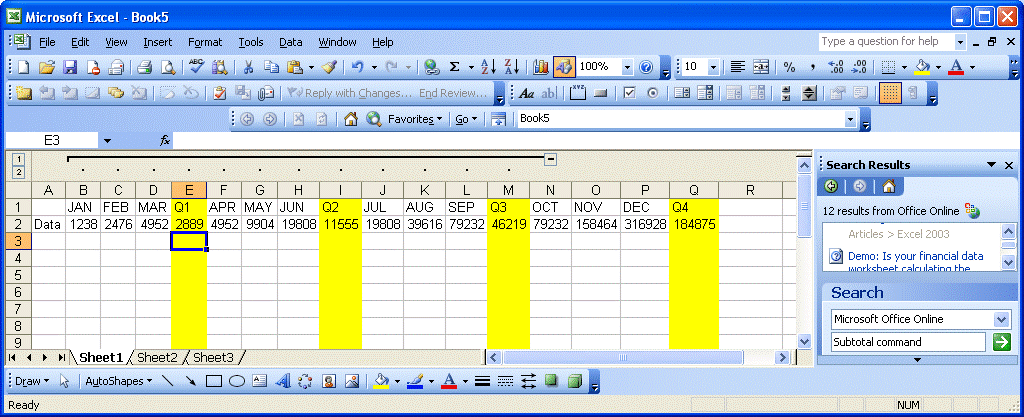
At first I thought this Group feature by Microsoft Excel 2003 is relating to Subtotals command as both has similar interface.
This is useful if you have many columns/rows and when you need to frequently hide certain consequent columns/rows. Group feature under Menu Bar of Microsoft Excel 2003 will allow you do to this with few clicks.
SPAM and Virus prevention by Barracuda Network Solutions
Wednesday, 25 May 2011
Say goodbye to email overload
“Boxbe uses a personalized Guest List to ensure quick delivery of email from people who matter to you. While other messages are screened, those not getting priority can always be found in your Waiting List.” Source: http://www.boxbe.com/how-it-works?tc=8154492973_1786908760
Sender will receive an email like such: -
Hello XXXXXXX,
Your message about "RE: Audit report (preliminary): HR process" was waitlisted.
Please add yourself to my Guest List so your messages will be delivered to my Inbox. Use the link below.
Click here to deliver your message
Thank you,
2natlp@gmail.com
Powered by Boxbe -- "End Email Overload"
Monday, 23 May 2011
how to filter the unread emails from outlook
“ Hey - that's an interesting request - something I could use as well...I just did it in my outlook.
If you'll click on the "arranged by: date" at the top of your e-mail and then scroll down to 'custom'.
Click on Filter on the new menu and then click on 'more choices' then click on the top item that says 'Only items that are unread' and you should be set!
Hope this helps...let us know...” Source: http://forums.techguy.org/business-applications/538271-sorting-messages-outlook-2003-a.html
IIf and IIF Or... Ms Access Statement
Hey,This code works: IIF ([Contact]=”Owner” OR [City]=”
This means, if contact is owner or city is
http://www.techonthenet.com/access/functions/advanced/iif.php
Thursday, 12 May 2011
Ms Publisher
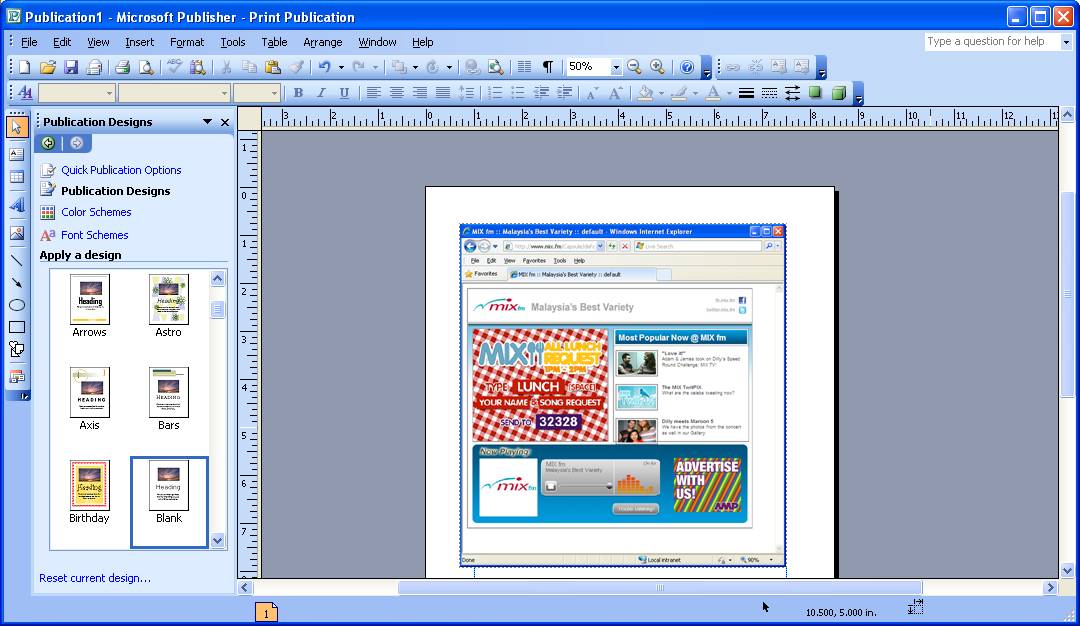
Picture snapshot can be easily editable via Ms Publisher. First, print screen and paste on Ms Publisher. Then it can be quickly saved as images as easy as Right Click>Save As.
Easy edit (border, crop, recolor, resize) can be done via Ms Publisher too.
Wednesday, 11 May 2011
Revert the display of Ms Visual Basic's display
I am used to the default layout, whereby the project explorer is at the left panel and codes are on the right. I accidently close one of them and when I reopen it again, it is all displayed as cascade view.
This can be solved by clicking Tool> Options and choose the Docking Tab. Check on the Project Exporer checkbox and you will find your visual Basic’s project explorer appeared as dockable state.
Create Blogger Post via Email
Here’s an easy way to post your post to blogspot. This is helpful especially for bloggers who has multiple blogs to be updated at the same time and also ease a lot when you have multiple pictures to be uploaded.
Furthermore, this method is less obvious if you have prying eyes behind you – that is without the need to log to blogger.com at all.
As shown in the picture above, you just need to assign the password in between your username and the domain and when you send the post contain, you will need to email it to the email address that you had configured inside your blogger account. Ie. Amandayno.*****@blogger.com
Any pictures can be attached in your email like normal attachment. If you want your attachments to be displayed in a required sequence, you have to rename the files in sequential order, ie. Pic1, Pic2, Pic3.jpg, etc.
This only works if you send email using HTML format instead of the Richtext.
Sunday, 8 May 2011
Reduce PDF File Size
I have a solution which is to use the Adobe Acrobat Professional Software. The current version i have is 9.0. Thi s is also PDF writer and editor. The pictures below shows how we achieve the compression that we need.